 Pb28
Pb28 Resize HTML DOM using jQuery
In this tutorial, we are going to see about how to resize HTML DOM element using jQuery. We are using the jQuery resizable() function for changing the size of an HTML element dynamically.
In this example, we are going to call this jQuery function for our resizable DIV by using id selector. We can obtain several animation effects on resizing DOM elements by passing optional parameters to this function.
HTML DIV Resize Example
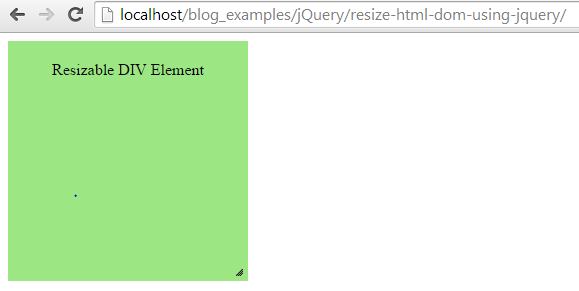
This code contains a resizable DIV element. We are calling jQuery resizable() by referring the id of the DIV element.
html
<html>

<head>

<title>Resize HTML DOM using jQuery</title>

<link rel="stylesheet"

	href="http://code.jquery.com/ui/1.11.2/themes/smoothness/jquery-ui.css">

<script src="http://code.jquery.com/jquery-1.10.2.js"></script>

<script src="http://code.jquery.com/ui/1.11.2/jquery-ui.js"></script>

<style>

#resizable-div {

	width: 200px;

	height: 200px;

	background: #9CE684;

	text-align: center;

	padding: 20px;

}

</style>

<script>

  $(function() {

    $( "#resizable-div" ).resizable();

  });

  </script>

</head>

<body>

	<div id="resizable-div">Resizable DIV Element</div>

</body>

</html>
jQuery Resizable Function Options
jQuery resizable() function accepts optional parameters for some special purpose. For example, the following script contains options for creating animation effects and restricting boundary for resizing.
javascript
$(function() {

	$("#resizable-div").resizable({

		animate: true

	});

});
javascript
$(function() {

	$("#resizable-div").resizable({

		maxHeight: 200,

		maxWidth: 500,

		minHeight: 100,

		minWidth: 200

	});

});