 Pb28
Pb28 jQuery Image Rotate
In this tutorial, we will rotate the HTML image element using jQuery. In the previous tutorial, we have seen how to do background image animation in jQuery.
In this image rotation example, we are using jQuery animate function. Using this function, we are controlling the image transform property.
HTML Code with Rotate Buttons
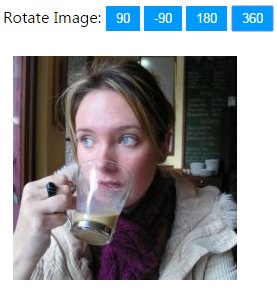
This code shows the image element and a list of HTML buttons to rotate the image.
html
<div>

	<label>Rotate Image:</label> <input type="button" class="btnRotate"

		value="90" onClick="rotateImage(this.value);" /> <input type="button"

		class="btnRotate" value="-90" onClick="rotateImage(this.value);" /> <input

		type="button" class="btnRotate" value="180"

		onClick="rotateImage(this.value);" /> <input type="button"

		class="btnRotate" value="360" onClick="rotateImage(this.value);" />

</div>

<div>

	<img src="coffee.jpg" id="demo-image" />

</div>
jQuery Rotate Function
This jQuery function will rotate the image element by changing its transform property.
javascript
function rotateImage(degree) {

	$('#demo-image').animate({  transform: degree }, {

    step: function(now,fx) {

        $(this).css({

            '-webkit-transform':'rotate('+now+'deg)',

            '-moz-transform':'rotate('+now+'deg)',

            'transform':'rotate('+now+'deg)'

        });

    }

    });

}