 Pb28
Pb28 jQuery AJAX Add Edit Modal Window
In this tutorial, we are going to see how to do AJAX add/edit operations by showing jQuery modal form. In a previous tutorial, we have seen PHP crud using jQuery AJAX.
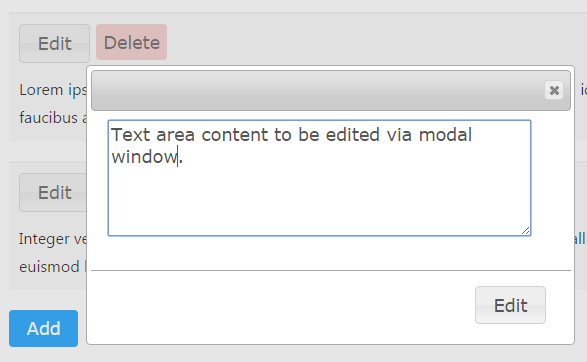
In this example, we are displaying add and edit forms in a modal dialog. After performing Add/Edit, the form will be closed automatically. The modal form includes a close icon to cancel operations.
Modal Form HTML
This code shows the CSS, Javascript and HTML code required to show jQuery modal form.
php-template
<style>

body{width:40%;}

.message-box{margin-bottom:20px;border-top:#F0F0F0 2px solid;background:#FAF8F8;padding:10px;}

.btnDeleteAction{background-color: #F3C6C6;border: 0; padding: 7px; color: #555555; margin-bottom: 15px; font-family: Verdana,Arial,sans-serif;font-size: 1.1em;vertical-align: top;border-radius: 4px;}

#btnAddAction{background:#09F;border:0;color:#FFF;}

</style>

<?php

require_once("dbcontroller.php");

$db_handle = new DBController();

$comments = $db_handle->runQuery("SELECT * FROM comment");

?>

<link rel="stylesheet" href="//code.jquery.com/ui/1.11.4/themes/smoothness/jquery-ui.css">

<script src="https://code.jquery.com/jquery-2.1.1.min.js" type="text/javascript"></script>

<script src="//code.jquery.com/ui/1.11.4/jquery-ui.js"></script>

<script src="modal_window.js"></script>

<script src="crud.js"></script>


<div class="form_style">

<div id="comment-list-box">

<?php

if(!empty($comments)) {

foreach($comments as $k=>$v) {

?>

<div class="message-box" id="message_<?php echo $comments[$k]["id"];?>">

<div>

<button class="btnEditAction" name="edit" id="<?php echo $comments[$k]["id"];?>">Edit</button>

<button class="btnDeleteAction" name="delete" onClick="callCrudAction('delete',<?php echo $comments[$k]["id"]; ?>)">Delete</button>

</div>

<div class="message-content"><?php echo $comments[$k]["message"]; ?></div>

</div>

<?php

}

} ?>

</div>


<div id="frmAdd"><textarea name="txtmessage" id="txtmessage" cols="40" rows="5"></textarea></div>

<div id="frmEdit"><textarea name="edit-message" id="edit-message" cols="40" rows="5"></textarea></div>

<p><button id="btnAddAction" name="submit">Add</button></p>

<img src="LoaderIcon.gif" id="loaderIcon" style="display:none" />

</div>
Display jQuery Modal Dialog
This script defines add and edit modal window properties. On submitting the modal form, it calls jQuery AJAX code to execute queries using PHP. In a previous tutorial, we have shown jQuery popup by using thickbox.
javascript
$(document).ready(function() {

	var comment_id;

	var edit_window = $("#frmEdit").dialog({autoOpen: false,

      height: 280,

      width: 480,

      modal: true});


	var add_window = $("#frmAdd").dialog({

	  autoOpen: false,

	  height: 280,

	  width: 480,

	  modal: true,

	  buttons: {

		"Post": addComment

	  },

	  close: function() {

		add_window.dialog( "close" );

	  }

	});


	function addComment() {

		add_window.dialog( "close" );

		callCrudAction('add','');

	}


	$( "#btnAddAction" ).button().on( "click", function() {

	  add_window.dialog( "open" );

	});


	$( ".btnEditAction").button().on( "click", function() {

		openEditBox($(this).attr("id"));

	});

});


function openEditBox(id) {

	edit_window = $("#frmEdit").dialog({

      buttons: {

        "Edit": editComment

      },

      close: function() {


        edit_window.dialog( "close" );

      }

    });

	edit_window.dialog( "open" );

	comment_id = id;

	var message = $("#message_" + comment_id + " .message-content").html();

	$("#edit-message").val(message);

}


function editComment() {

	edit_window.dialog( "close" );

	callCrudAction('edit',comment_id);

}