 Pb28
Pb28 Formatting Date With jQuery Date Picker
Using the jQuery date picker, we can format a selected date using the dateFormat option. In a previous post, we have seen how to use jQuery datepicker in a form to select a value for a date field. It popup a calendar widget to select a date.
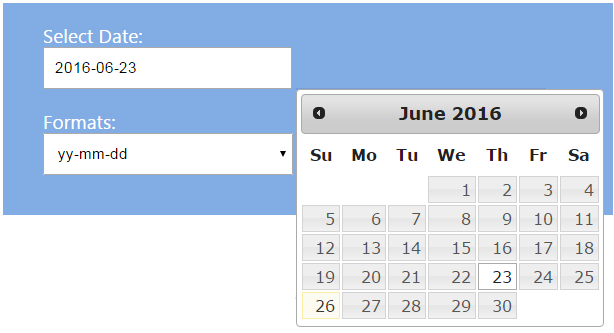
In this tutorial, we will see how to format a date by picking it from the calendar popup. We have a list of date formats in a select box. On changing this select value, We set the dateFormat option with a selected format.
HTML Date Picker with Formats
This code shows the HTML for displaying an inline date picker field and a list of date formats.
php-template
<div id="frm-date-format">

	<div class="frm-input-row">

		<div class="frm-label">Select Date:</div>

		<div><input type="text" id="datepicker" size="30" class="form-input"></div>

	</div>

	<div class="frm-input-row">

		<div>Formats:</div>

		<div>

			<select id="date-format" onchange="setDateFormat(this.value);" class="form-input">

				<option value="mm/dd/yy">mm/dd/yy</option>

				<option value="dd/mm/yy">dd/mm/yy</option>

				<option value="yy-mm-dd">yy-mm-dd</option>

				<option value="M d, y">M d, y</option>

			</select>

		</div>

	</div>

</div>
Setting dateFormat using jQuery
This jQuery code is used to set the date format on selecting a date using the date picker. We have a function to format date, which will be called on changing date format select field.
javascript
<script>

	$(document).ready(function() {

		$( "#datepicker" ).datepicker();

	});

	function setDateFormat(date_format) {

		$( "#datepicker" ).datepicker( "option", "dateFormat", date_format );

	}

</script>